Opening a Headquarters and Hiring Managers in Big Ambitions

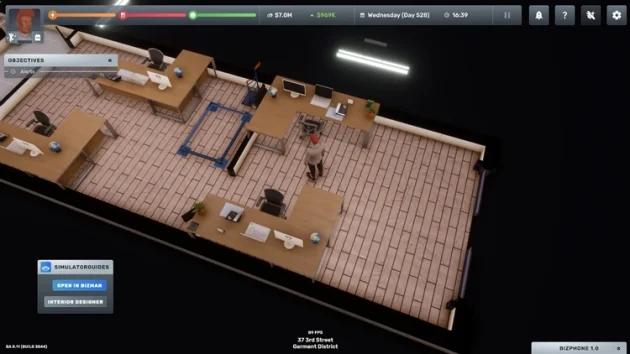
If you have decided to scale your businesses in Big Ambitions, you will need a Headquarters. You can set up a Headquarters by renting any office for lease. There, by hiring Purchasing Agents, HR Managers, Headhunters, and Logistics Managers, you can get work done much more cheaply and automatically.
HR Managers raise employees’ training and let you provide them with Bronze, Silver, or Gold Health Insurance. They also let you track all employees from a single screen and check overall happiness levels. Additionally, hiring an HR manager allows store employees to be automatically auto-allocated when adding them to shift schedules.
Headhunters find skilled employees for you. They will find staff based on whichever occupation you want, how many people you need, and what your requirements are. They can also be linked to HR Managers so that when those managers’ workers resign or retire, they automatically find new employees to fill the positions with no empty slots.
A Purchasing Agent sets up connections with import companies and supplies goods in bulk at low prices. They manage these purchasing processes. They also let you place weekly orders automatically and keep warehouse stock stable.
A Logistics Manager handles product distribution between your retail, factory, and warehouse buildings. They manage Delivery Drivers to distribute the products bought by Purchasing Agents to retail stores. By restocking store inventory every day, they make business management easier.
Pricing Managers are employees who let you automatically manage product prices by district. You can hire one employee per district at Headquarters. (Big Ambitions v1.0 will be released on August 28. This employee will be added to the game after that date.)
How to Set Up a Headquarters in Big Ambitions
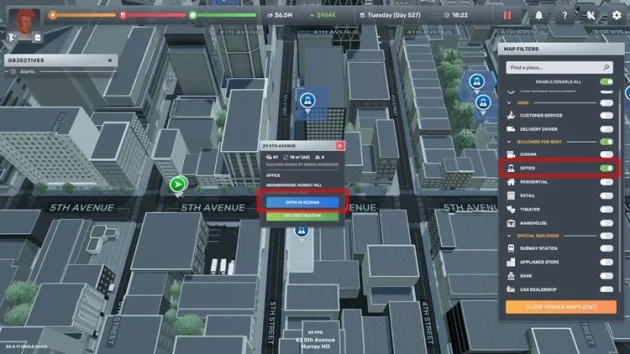
To rent an office, open Voogle Maps and, in the filter section on the right, check offices for lease.
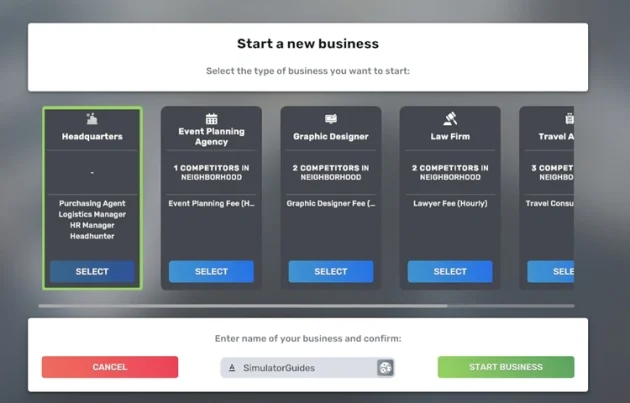
Rent the office you opened in BizMan, choose Headquarters on the Start a New Business screen, and enter a name for the Headquarters.
You need to set up as many computer workstations as the office building’s capacity. You can usually get the materials you need for an office from the furniture store Mr. Scott’s Office Supplies. You can also find many items at IKA BOHAG. But because you can find everything related to offices at Mr. Scott’s Office Supplies (39 4th Avenue, Lower Manhattan), it is important to deal with this furniture store.
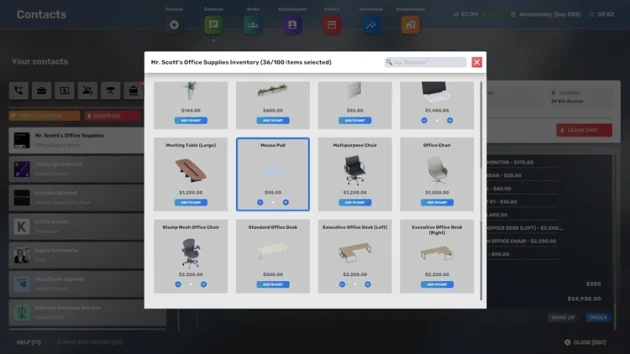
As mentioned, you need to set up computer workstations for the employees who will work at Headquarters. Here are the items I recommend buying:
– Executive Office Desk (left or right, either is fine)
– Stump Mesh Office Chair
– Mouse Pad
– Notebook Computer
– Any Desk Plant
– Office Phone
– Computer Monitor
– Desk Calendar
– Calculator
New employees you place in the office may request items such as a coffee machine, Water Cooler, Printer, and Meeting Table. If you place these in the office building when they ask for them, their happiness will increase.
Order the items above, then place them in the office and on the executive desk.
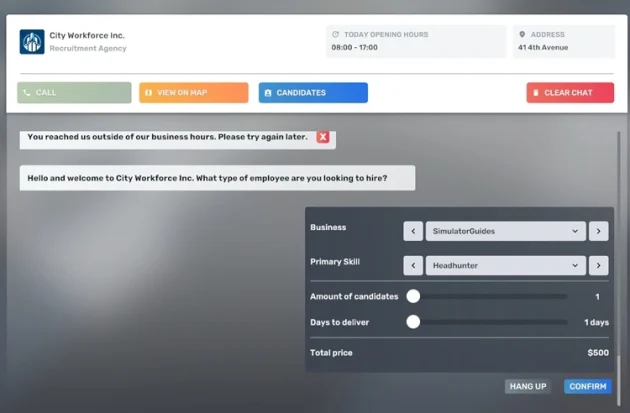
You cannot hire the qualified staff who will work at Headquarters from the Anderson Recruitment Corp. staffing agency. For that, you need to go to the City Workforce Inc. agency. You can find this building at 41 4th Avenue, Lower Manhattan.
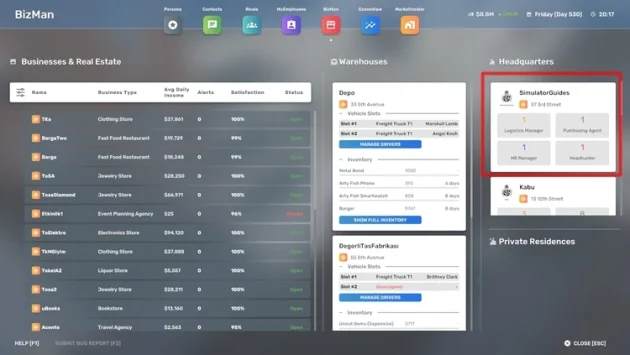
The Headquarters will appear in the Headquarters section of the BizMan app. Click it to open the Headquarters management screen.
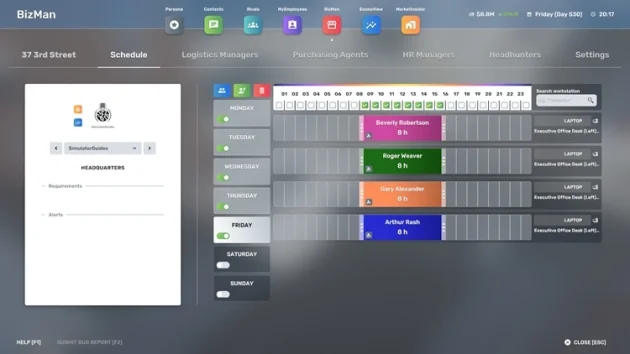
On the Schedule screen, you can assign the new employees you hired to computer workstations. After that, you can place employees and the required buildings on the Logistics Managers, Purchasing Agents, HR Managers, and Headhunters tabs to get them working actively.