How to Use a Plow and Plow Fields in Farming Simulator 25

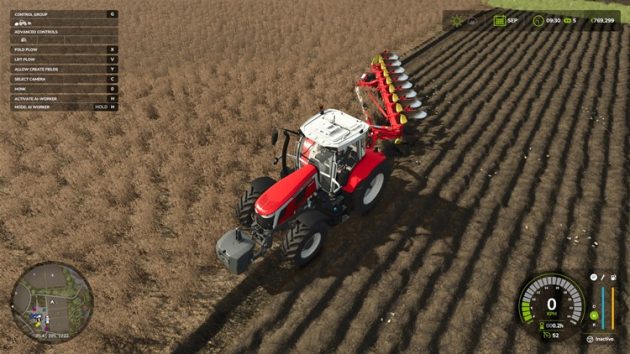
In Farming Simulator 25, one of the operations that directly affects yield is periodic plowing with a plow. We briefly covered this in our earlier guide, Farming Simulator 25 Soil Management and Yield Guide. If a field shows the “Field needs plowing” warning, you must plow that field. Otherwise, you lose the 15% yield bonus.
To plow a field, you can use Plows, Subsoilers, or Rotary Spaders. All three do the same job for this requirement: once you work the soil with any of them, the “Field needs plowing” warning is cleared and you gain the yield bonus.
In this guide, we use the Pöttinger Servo T 6000 P – a reversible plow with a 4 m working width that requires 210 HP – together with a Massey Ferguson 7S.210 tractor (210 HP) to run it properly, plus a 2,000 kg front weight for balance.
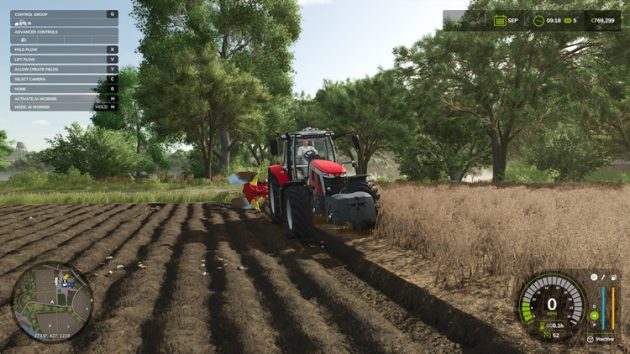
No matter which edge you start from, the reversible plow’s blades must face into the field.
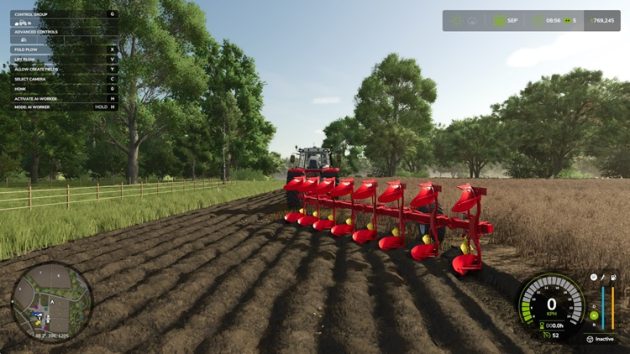
When you move to the second pass, the blade direction must face the already plowed ground.
On headland turns, if you set the tractor tires into the last open furrow, you leave no tire tracks or gaps in the next pass.
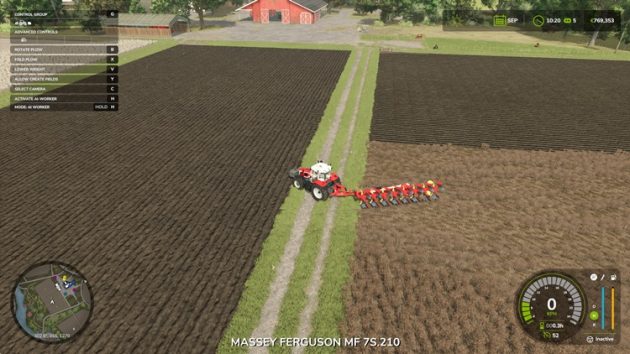
Plowing a field lengthwise or crosswise makes no difference to the result. Plowing direction depends on how open the field edges are. If there are many trees around the field and little room for the implement to work comfortably, you can plow in the opposite direction.
Keyboard Shortcuts for the Plow
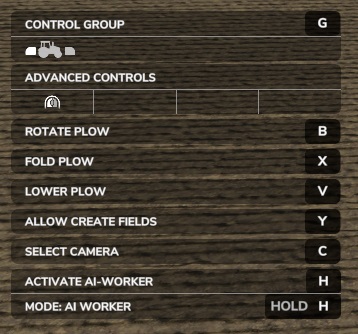
X – Unfold the plow into working position, or fold it back into transport position.
V – Lower the plow blades to ground level and start working the soil.
B – Reverses the blade direction on reversible plows (this does not work while the plow is at ground level; first lift it with V).
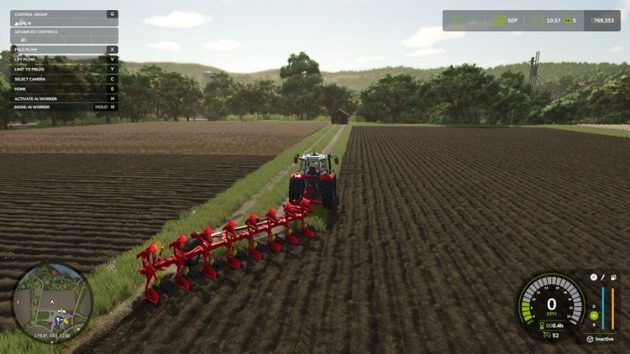
Y – Used to create a new plowable field.
H – Hire a worker to plow for you. The worker uses the equipment in your place. You pay a fee for this.
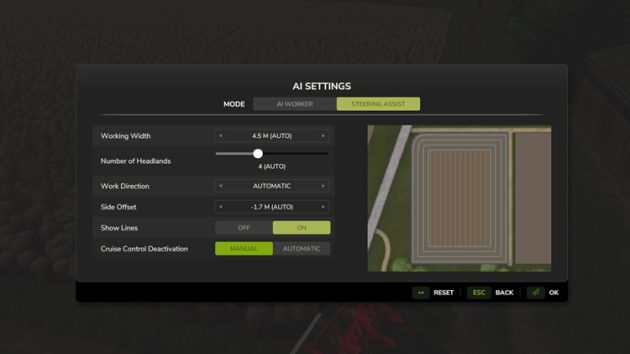
Hold H – Activates the GPS system and draws guidance lines across the field based on the implement’s working width. You can use these lines as a guide while plowing.
Important Notes on Plowing with a Plow
After you plow a field, if you save the game, quit, and reload the save, tire tracks disappear and the plowed field looks cleaner.
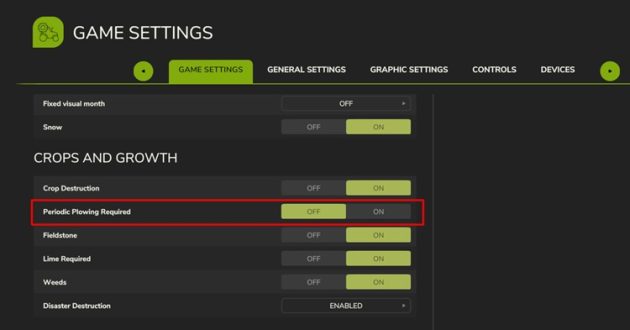
If you dislike plowing, you can turn the requirement off. Press ESC, open the bottom tab to reach the game settings screen, then under Game Settings – Crops and Growth set ?Periodic Plowing Required? to OFF.
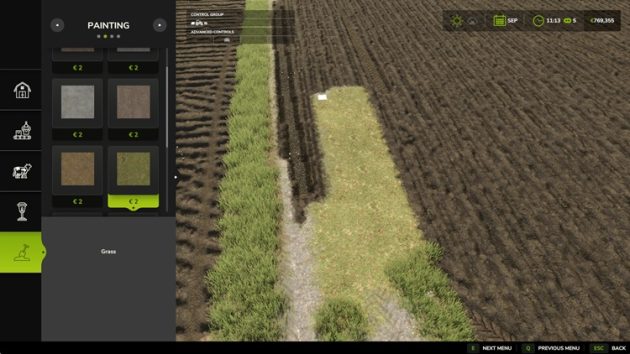
If you create a new field with a plow and think the terrain looks wrong and want to undo it, open the Construction menu and, in the Painting section, select a ground type and paint over it.
If you do not want to use a reversible plow, you can get a fixed-moldboard plow through FS25 mods.