How to Install Maps in ETS2

This guide walks you through playing community-made maps in Euro Truck Simulator 2, step by step. If you are tired of the map that keeps growing with DLC packs and you want to explore different parts of the world, you can download maps from the official forum or from sites that share ETS2 mods.
ETS2 maps come in two types. The first type connects to the official game map the same way DLC packs do. If the map is on another continent, North Africa for example, that connection is made by ferry. The second type is a custom map built from scratch. These maps have no link to the base game, so you haul cargo on a completely separate landmass.
Which Folder Should ETS2 Maps Be Copied To
ETS2 maps, just like ETS2 mods, go in Documents > Euro Truck Simulator 2 > mod. The file extension is usually SCS or ZIP. If the map you downloaded is a RAR file, open it with WinRAR and copy the SCS or ZIP files inside it into that folder.
How to Install Maps That Connect Like DLC
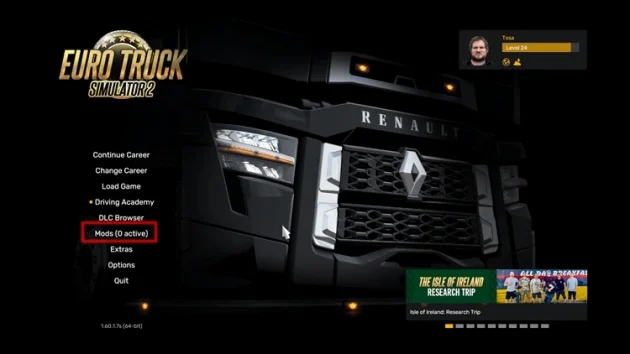
Copy the maps that connect to the main map like DLC into the mod folder, then launch the game. Click “Mods” on the main menu to open the Mod Manager.
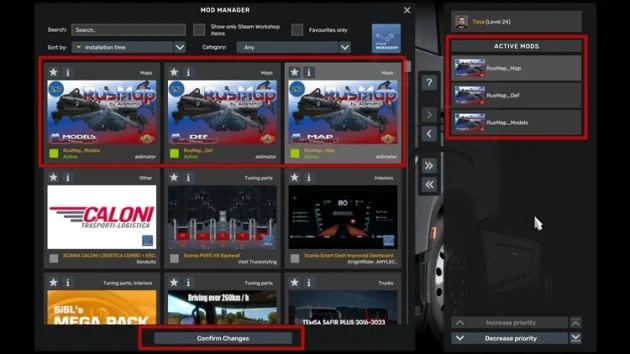
On the Mod Manager screen, click the map items you added on the left to move them onto the Active Mods list. Then click Confirm Changes at the bottom.
After that, open your existing saved profile and you can drive the newly added regions.
How to Install a Standalone Map
A standalone map is not something you can play on your saved profile. It has no connection to the game’s main map, so you have to create a new profile and run it there.
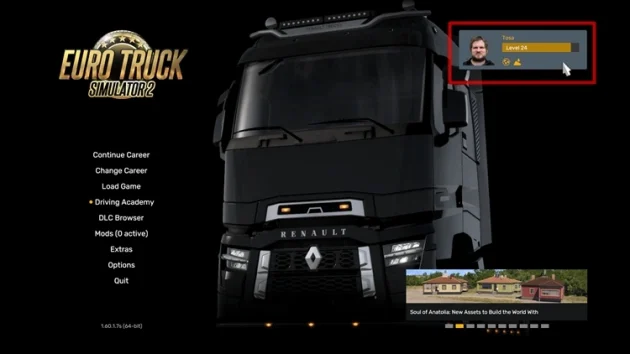
Copy the map file into the mod folder and launch the game. On the main menu, click Profile in the top right.
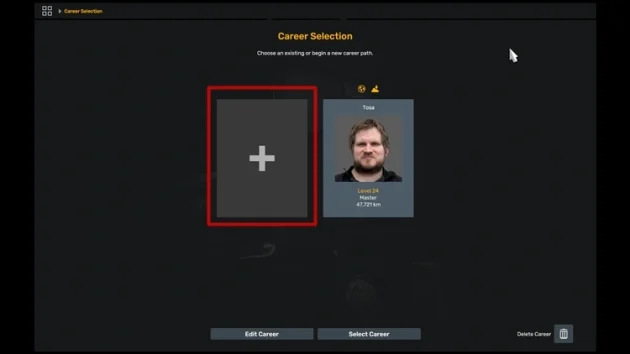
On the Career Selection screen, click the “+” to create a new profile, then click New Career at the bottom.
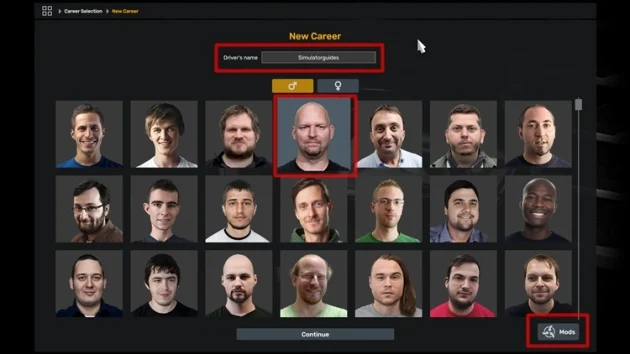
On the new career screen, enter a profile name, pick a profile picture, and click Mods in the bottom right.
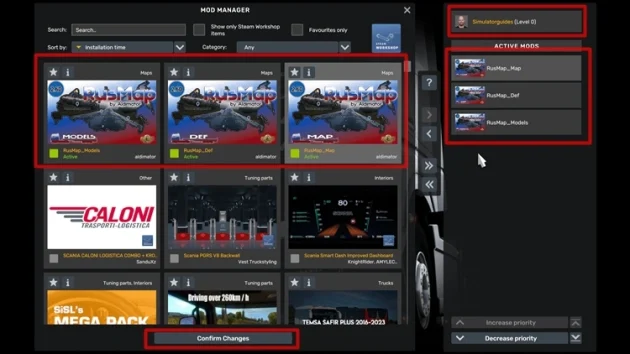
You will land on the Mod Manager again, but this time your new profile name will show in the top right. Click the files for the downloaded map on the left to add them to Active Mods. Then click Confirm Changes.
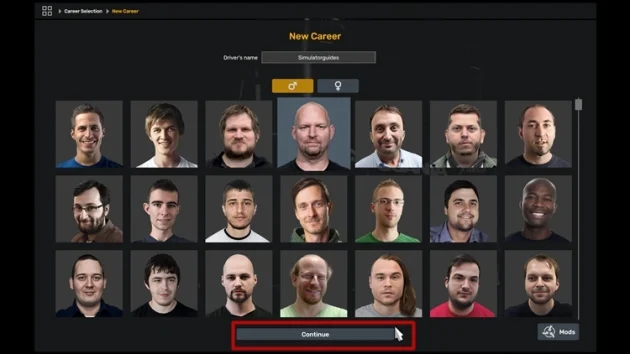
You will return to New Career. Click Continue.
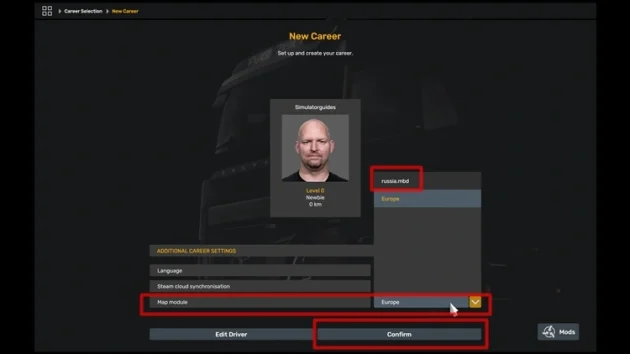
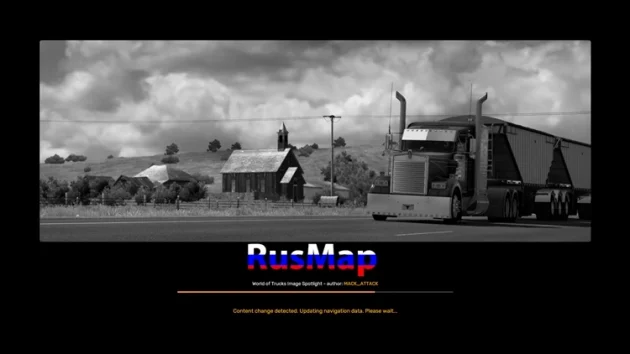
On the next screen you need to choose a Map module. The map we added will put a new module on the list, and we select it. This walkthrough uses RusMap, so Russia.mbd appears in the list. Select it and press Confirm.
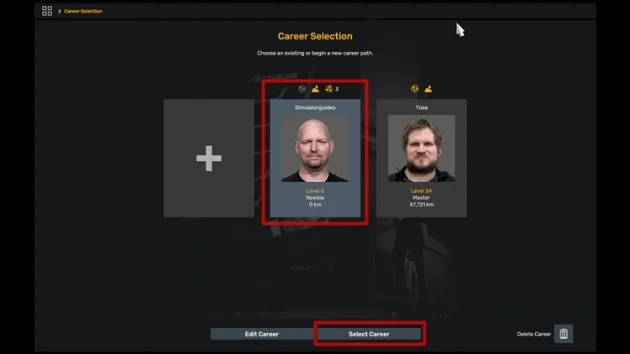
The profile is ready. On the Career Selection screen, pick the profile you just created and start the game with Select Career.
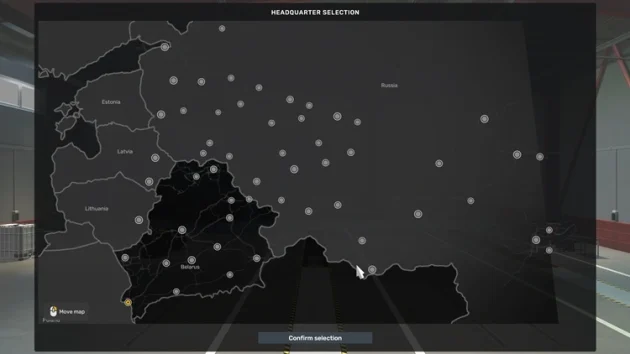
And bingo. The ETS2 map is installed.
Safe Sites to Download Maps From
Here are a few sites where you can download ETS2 maps safely. The first is the official forum, where players share the maps they make with the community.
Online since 2019 and sharing mods for many simulation games, mods.club is one of the safe places to download ETS2 mods and maps.
Another safe site that shares only ATS and ETS2 mods is trucksimulator.org. It uses official developer links, tests the mods, and shows you what you will see in-game with plenty of screenshots.
These two sites are published by the Simulatorguides.com editorial team. This is not an advertisement.