Farming Simulator 22 Greenhouse Guide

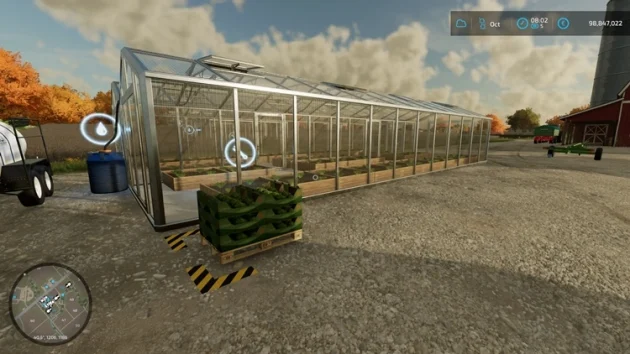
In FS22, greenhouses are production facilities that let you grow crops all 12 months of the year. In FS22, you can grow tomatoes, strawberries, and lettuce in a greenhouse. The only thing required for production is water.
Recommended: How to Do Greenhouse Farming in Farming Simulator 25?
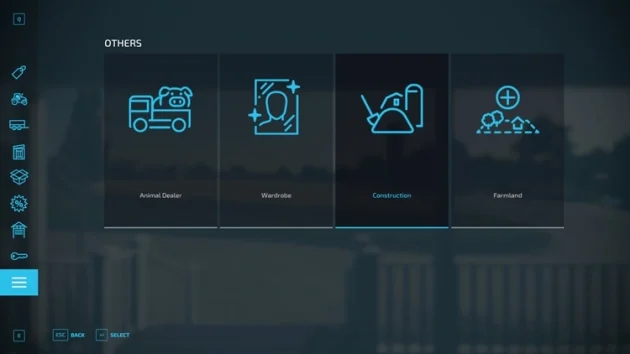
Open the construction menu from Shop > Others > Construction, go to the Production tab, then the Greenhouses section, and place a greenhouse in one of the 3 sizes on land you own.
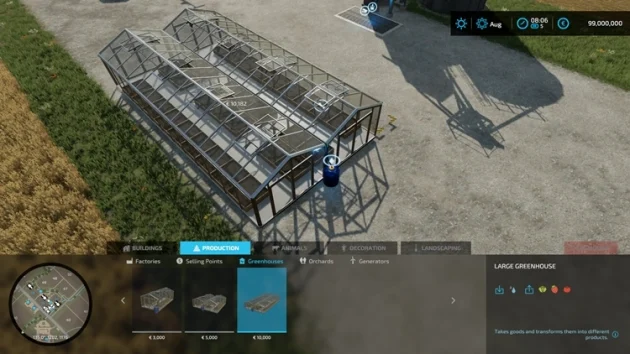
Medium, Small, and Large greenhouses grow the same products. The only difference is the monthly cycle amount.
Small Greenhouse Recipes
Tomatoes -> 1x Water = 1x Tomatoes -> Monthly Cycle: 384
Lettuce -> 2x Water = 1x Lettuce -> Monthly Cycle: 192
Strawberries -> 1x Water = 2x Strawberries -> Monthly Cycle: 384
Medium Greenhouse Recipes
Tomatoes -> 1x Water = 1x Tomatoes -> Monthly Cycle: 672
Lettuce -> 2x Water = 1x Lettuce -> Monthly Cycle: 336
Strawberries -> 1x Water = 2x Strawberries -> Monthly Cycle: 672
Large Greenhouse Recipes
Tomatoes -> 1x Water = 1x Tomatoes -> Monthly Cycle: 1536
Lettuce -> 2x Water = 1x Lettuce -> Monthly Cycle: 768
Strawberries -> 1x Water = 2x Strawberries -> Monthly Cycle: 1536
The monthly cycle is also the amount of product produced. For example, if you grow lettuce and you have built a Large Greenhouse, you will produce 768 liters of product per month. In addition, you will consume 1,536 liters of water.
Because greenhouses are production buildings, the in-game upper limit is 49 buildings. That means you can own a maximum of 49 different production buildings. There are, of course, ways to increase this. By downloading the Building Limit mod, you can place as many buildings as you want.
Greenhouses only need water for production. If you download a greenhouse mod, herbicide, fertilizer, and seeds may also be among the materials required for production. But because this guide focuses only on the original game, we will stick with water.
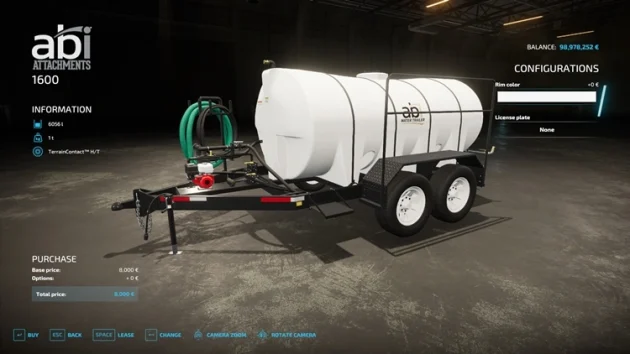
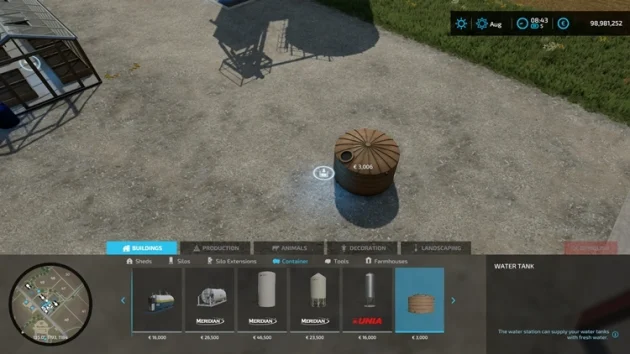
To haul water to greenhouses, go to the construction menu and place Buildings > Containers > Water Tank. To transport the water, you also need a water tank trailer such as Shop > Animals > Abi Attachments 1600.
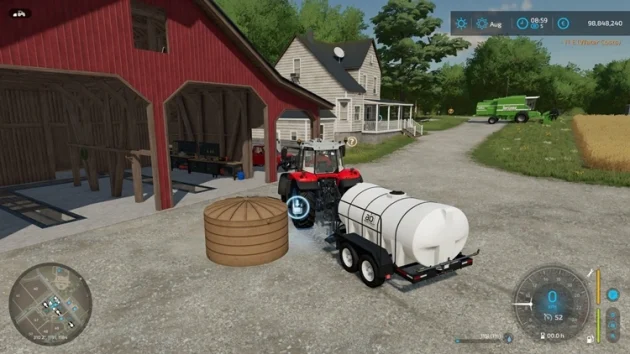
For production to start in the greenhouse, you first need to fill the greenhouse with water. When you drive the tanker trailer up to a water tank, you can start filling with the “R” key.
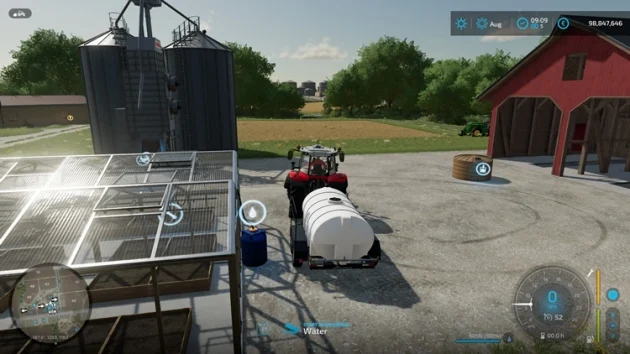
You then need to unload the water from the tanker into the water tank in front of the greenhouse. When you approach with the tanker trailer, an unload icon will appear at the bottom. Press the “I” key to start unloading.
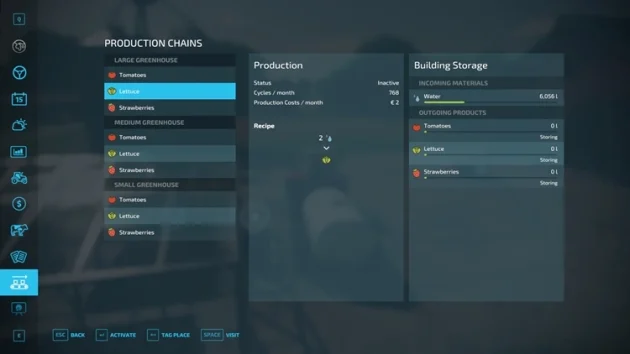
From the production menu, select a product in the greenhouse and click the Activate (Enter) button to start production.
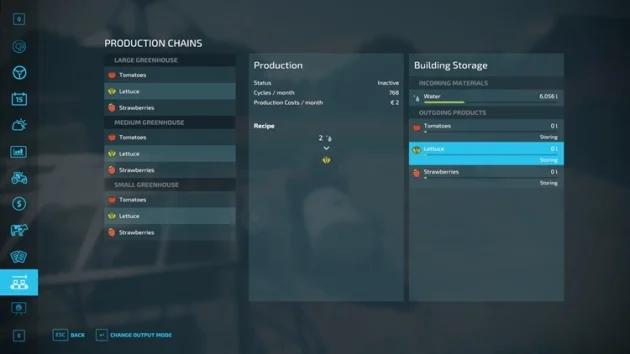
From the same production menu, when you click the product grown in the greenhouse, you will see the Change Output Mode button at the bottom. Press it to change the output mode. The output modes are Storing, Distributing, and Selling.
Storing presents the product as pallets at the greenhouse’s product output point. This option lets you sell the produced goods whenever you want. The downside is that you have to load the products with a front loader. This process is quite time-consuming.
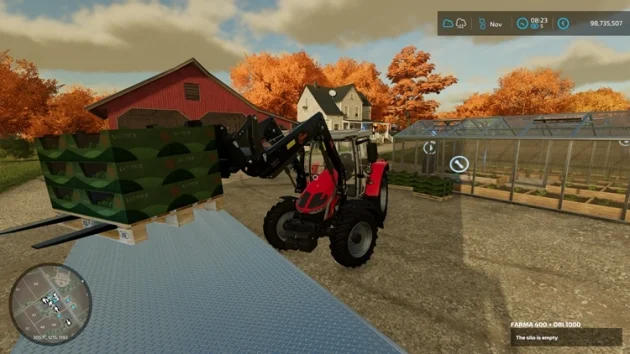
Distributing automatically transfers the produced goods to another production building you own that needs that product.
Selling automatically sells the products as soon as they are produced. There is no extra work, but in low-price periods the products will be sold very cheaply.