How to Use Console Commands in ETS2

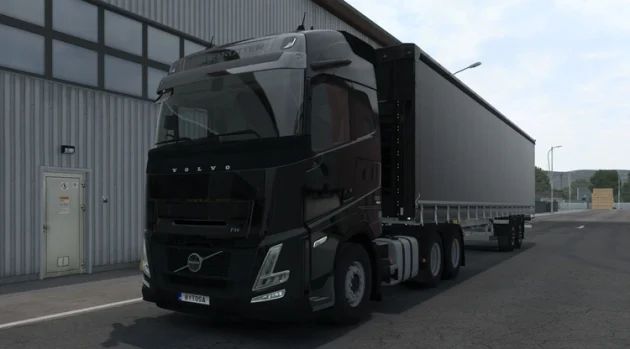
Using Euro Truck Simulator 2 console commands, you can disable the police and traffic fines. You can earn much more money from deliveries, remove the fatigue simulation, change the weather, change the in-game time, and use teleport cheats.
How to Open the ETS2 Console
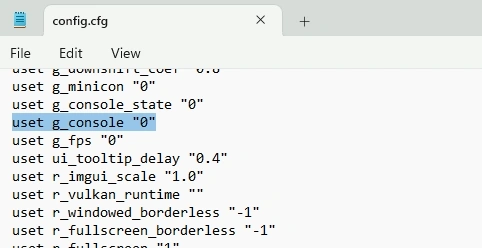
To open the console in Euro Truck Simulator 2, open the Documents > Euro Truck Simulator 2 > config.cfg file with Notepad. Find the uset g_console "0" line inside it. Change the “0” value to “1” and save. Then launch the game and press the é key right below ESC on your keyboard (or the ~ (tilde) key may work for you) to open the console.
How to Enable ETS2 Developer Mode
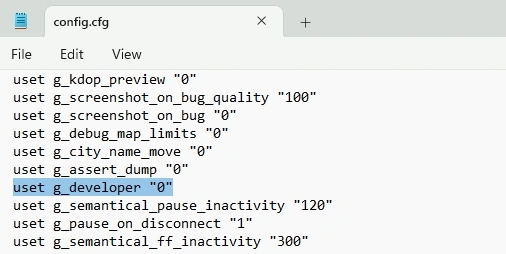
You need to enable developer mode for the teleport cheat. Developer mode is hidden by default, just like the console. To do this, open the Documents > Euro Truck Simulator 2 > config.cfg file with Notepad. Find the uset g_developer "0" line and change the “0” value to “1”.
ETS2 Teleport Cheat
When you enable developer mode in ETS2, you get a new usable camera. It is the “0” key on the number row above the letter keys. When you press this key, you switch to free camera. Then on the numeric keypad you can use “8” to move forward, “4” to move left, “6” to move right, and “5” to move backward. The mouse angle affects the camera. You can use the mouse and the keys above.
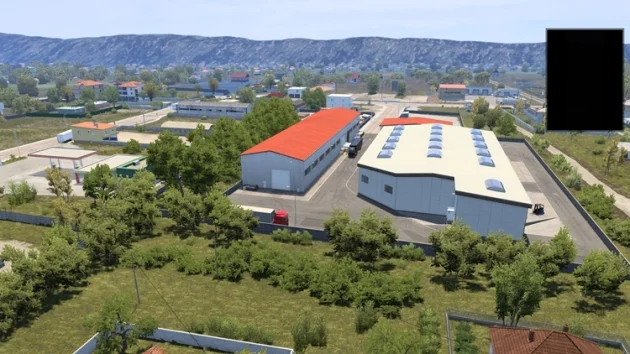
After you move the camera angle to a different position on the road, you can press the F9 key to teleport the truck to the new point.
Other ETS2 Cheats
All the cheats you can type after pressing é during the game to open the console and see their effects:
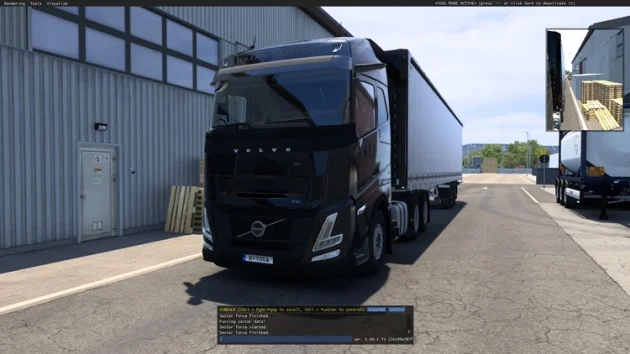
g_traffic 0 / 1 – Removes all vehicles from traffic. Only you travel on the road. It turns off all AI traffic. If you set the value to 1, the effect is removed.
g_police 0 / 1 – Removes the traffic police and traffic fines.
g_fatigue 0 / 1 – Disables the fatigue simulation. You can drive a truck endlessly and never need to sleep.
warp 0.8 – Changes the game simulation speed. The normal value is “1”. You can lower or raise the speed.
g_set_weather 01 – Changes the weather in the game. You can enter a value between 01-10 for foggy, sunny, or rainy weather.
g_set_time 09 05 – You can set the clock to whatever time you want. When you enter this value, the in-game time will change to 09:05.
g_minicon 1, then g_fps 1 – A HUD appears on screen showing how many FPS you are getting.
g_income_factor 3 – Multiplies the income you earn from deliveries by 3.
g_show_game_elements 0 / 1 – Removes the green trigger lines around the trailer, delivery lines, and purchase and service icons in the game. If you enter “1”, they come back. Recommended for players who want a more realistic experience.
goto paris – Teleports to the city you type. It is recommended to write city names in lowercase and without spaces.